SVGMaker MCP Server
A powerful MCP server for generating, editing, and converting SVG images using SVGMaker API.




🎨 MCP Server in Action
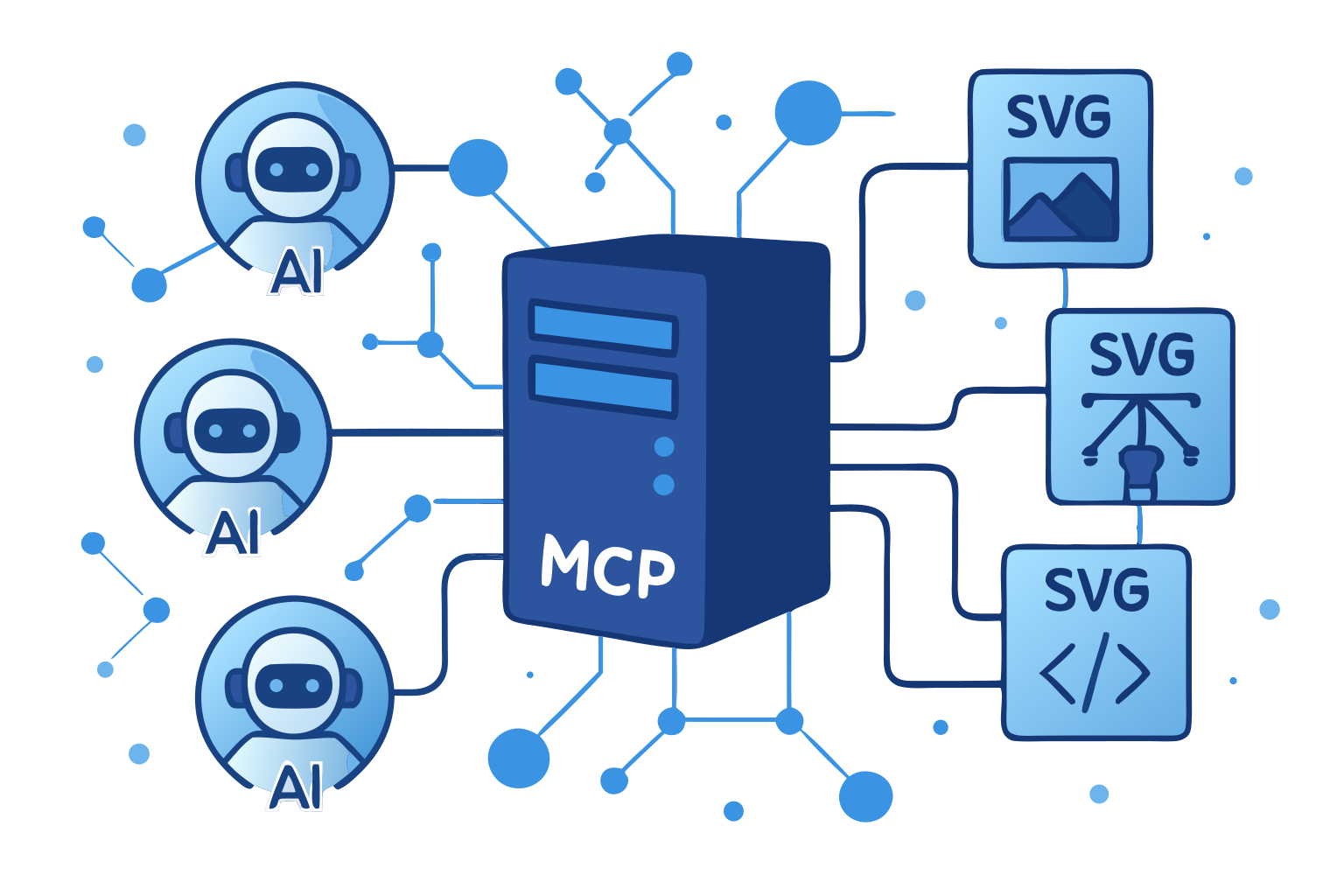
This very illustration came to life through our own SVGMaker MCP server—a living example of AI assistants and vector graphics working in perfect harmony via the Model Context Protocol.
🌟 Highlights
- 🎨 AI-Powered SVG Generation: Create SVGs from text descriptions
- ✏️ Smart SVG Editing: Edit existing SVGs with natural language
- 🖼️ Raster Mode: Skip vectorization and get a quick PNG instead of SVG
- 🔄 Image-to-SVG Conversion: Convert any image to scalable SVG
- 👁️ Inline Image Preview: Preview generations and gallery items directly in chat
- 🔒 Secure File Operations: Built-in path validation and security
- ⚡ Real-Time Progress: Live updates during operations
- 📝 Type Safety: Full TypeScript support with type definitions
📋 Table of Contents
- Requirements
- Installation
- Quick Start
- LLM Integrations
- Available Tools
- Configuration
- Development
- Contributing
💻 Requirements
- Node.js: Minimum version 18.0.0
node --version # Should be >= v18.0.0 - npm: Minimum version 7.0.0
npm --version # Should be >= 7.0.0 - Operating Systems:
- Linux (Ubuntu 20.04+, CentOS 8+)
- macOS (10.15+)
- Windows (10+)
- SVGMaker API key (Get one here)
📦 Package Structure
@genwave/svgmaker-mcp/
├── build/             # Compiled JavaScript files
├── docs/              # Documentation
│   └── api/           # API documentation
├── src/               # Source TypeScript files
│   ├── tools/         # MCP tool implementations
│   ├── services/      # API integration
│   └── utils/         # Utility functions
└── types/ # TypeScript declarations🚀 Installation
# Using npm
npm install @genwave/svgmaker-mcp

# Using yarn
yarn add @genwave/svgmaker-mcpBasic Setup
- Create .env file:
SVGMAKER_API_KEY="your_api_key_here"- Start the server:
npx svgmaker-mcp🔌 LLM Integrations
🔌 Claude Desktop
- Add to claude_desktop_config.json:
{
  "mcpServers": {
    "svgmaker": {
      "command": "npx",
      "args": ["@genwave/svgmaker-mcp"],
      "transport": "stdio",
      "env": {
        "SVGMAKER_API_KEY": "your_api_key_here"
      }
    }
  }
}- Example Claude prompt:
Generate an SVG of a minimalist mountain landscape:
<mcp>
{
  "server": "svgmaker",
  "tool": "svgmaker_generate",
  "arguments": {
    "prompt": "Minimalist mountain landscape with sun",
    "output_path": "./landscape.svg",
    "quality": "high",
    "aspectRatio": "landscape"
  }
}
</mcp>🔌 Cursor

Or configure manually:
- Configure in cursor settings:
{
  "mcpServers": {
    "svgmaker": {
      "type": "local",
      "command": "npx",
      "args": ["@genwave/svgmaker-mcp"],
      "transport": "stdio",
      "env": {
        "SVGMAKER_API_KEY": "your_api_key_here"
      }
    }
  }
}- Example usage in Cursor:
Use svgmaker to edit the logo.svg file and make it more modern:
<mcp>
{
  "server": "svgmaker",
  "tool": "svgmaker_edit",
  "arguments": {
    "input_path": "./logo.svg",
    "prompt": "Make it more modern and minimalist",
    "output_path": "./modern_logo.svg",
    "quality": "high"
  }
}
</mcp>🔌 Visual Studio Code
Or configure manually:
- Configure in settings.json:
{
  "servers": {
    "svgmaker": {
      "type": "stdio",
      "command": "npx",
      "args": ["-y", "@genwave/svgmaker-mcp"],
      "env": {
        "SVGMAKER_API_KEY": "<your_api_key>"
      }
    }
  }
}- Example usage in VS Code:
Generate a new icon for my app:
<mcp>
{
  "server": "svgmaker",
  "tool": "svgmaker_generate",
  "arguments": {
    "prompt": "Modern app icon with abstract geometric shapes",
    "output_path": "./assets/icon.svg",
    "quality": "high",
    "aspectRatio": "square"
  }
}
</mcp>🔌 WindSurf
- Configure in settings:
{
  "mcpServers": {
    "svgmaker": {
      "command": "npx",
      "args": ["-y", "@genwave/svgmaker-mcp"],
      "env": {
        "SVGMAKER_API_KEY": "<your_api_key>"
      }
    }
  }
}- Example usage in WindSurf:
Convert the company logo to SVG:
<mcp>
{
  "server": "svgmaker",
  "tool": "svgmaker_convert",
  "arguments": {
    "input_path": "./branding/logo.png",
    "output_path": "./branding/vector_logo.svg"
  }
}
</mcp>🔌 Zed
- Configure in settings:
{
  "context_servers": {
    "svgmaker": {
      "command": {
        "path": "npx",
        "args": ["-y", "@genwave/svgmaker-mcp"],
        "env": {
          "SVGMAKER_API_KEY": "<your_api_key>"
        }
      },
      "settings": {}
    }
  }
}- Example usage in Zed:
Edit an existing SVG file:
<mcp>
{
  "server": "svgmaker",
  "tool": "svgmaker_edit",
  "arguments": {
    "input_path": "./diagrams/flowchart.svg",
    "prompt": "Add rounded corners and smooth gradients",
    "output_path": "./diagrams/enhanced_flowchart.svg",
    "quality": "high"
  }
}
</mcp>🛠️ Available Tools
svgmaker_generate
Generate SVG images from text prompts. Supports style parameters for fine-grained control over the output.
{
  "prompt": "A minimalist mountain landscape with sun",
  "output_path": "/path/to/landscape.svg",
  "quality": "medium",
  "style": "flat",
  "color_mode": "few_colors",
  "composition": "full_scene",
  "background": "transparent"
}Raster mode — set raster: true to skip vectorization and get a PNG instead of an SVG. Use a .png extension for output_path. Cannot be combined with storage (raster results are temporary).
{
  "prompt": "A minimalist mountain landscape with sun",
  "output_path": "/path/to/landscape.png",
  "quality": "medium",
  "raster": true
}| Parameter | Type | Description |
|---|---|---|
raster | boolean | When true, returns a raster PNG instead of SVG (skips vectorization). Use a .png output path. Cannot be used with storage. |
storage | boolean | When true, stores the generated image permanently in cloud storage. Cannot be used with raster. Defaults to true when raster is not set. |
Style parameters (generate & edit)
All parameters below are optional and shared by svgmaker_generate and svgmaker_edit. Only specify the ones the user explicitly requests.
| Parameter | Values | Default | Description |
|---|---|---|---|
quality | low, medium, high | medium | Detail level vs. speed. high forces a square aspect ratio. |
aspectRatio | square, portrait, landscape | auto (by quality) | Output shape. Ignored when quality is high (forced square). |
background | auto, transparent, opaque | auto | Background style. transparent is good for overlays. |
style | flat, line_art, engraving, linocut, silhouette, isometric, cartoon, ghibli | — | Art style. |
color_mode | full_color, monochrome, few_colors | full_color | Color scheme. |
image_complexity | icon, illustration, scene | — | Level of detail in the composition. |
composition | centered_object, repeating_pattern, full_scene, objects_in_grid | — | Layout arrangement. |
text_style | only_title, embedded_text | — | How text is handled in the design. |
svgmaker_edit
Edit existing SVGs or images with natural language. Supports the same style parameters as generate. Accepts a local file path or generation ID (works for both your own generations and public gallery items).
{
  "input_path": "/path/to/input.svg",
  "prompt": "Add a gradient background and make it more vibrant",
  "output_path": "/path/to/enhanced.svg",
  "quality": "high",
  "style": "cartoon",
  "background": "opaque"
}Or edit directly from a generation ID (works for both generations and gallery items):
{
  "generation_id": "gen_abc123",
  "prompt": "Make the background blue",
  "output_path": "/path/to/edited.svg"
}Raster mode — like generate, set raster: true to get a PNG instead of an SVG. Use a .png extension for output_path. Cannot be combined with storage.
{
  "input_path": "/path/to/input.svg",
  "prompt": "Make it more vibrant",
  "output_path": "/path/to/edited.png",
  "raster": true
}| Parameter | Type | Description |
|---|---|---|
raster | boolean | When true, returns a raster PNG instead of SVG (skips vectorization). Use a .png output path. Cannot be used with storage. |
storage | boolean | When true, stores the edited image permanently in cloud storage. Cannot be used with raster. Defaults to true when raster is not set. |
svgmaker_convert
Convert raster images to SVG using AI-powered vectorization.
{
  "input_path": "/path/to/image.png",
  "output_path": "/path/to/vector.svg"
}svgmaker_account_info
Get account information including email, display name, account type, and available credits. No parameters required.
{}svgmaker_account_usage
Get API usage statistics with optional date filtering.
{
  "days": 30
}Or use a date range:
{
  "start": "2026-01-01",
  "end": "2026-01-31"
}svgmaker_generations_list
List your SVG generations with optional filtering and pagination.
{
  "page": 1,
  "limit": 20,
  "type": "generate",
  "query": "mountain"
}svgmaker_generations_get
Get detailed information about a specific generation.
{
  "generation_id": "gen_abc123"
}svgmaker_generations_delete
Delete a generation and its associated files. Requires a paid account.
{
  "generation_id": "gen_abc123"
}svgmaker_generations_share
Share a generation by making it publicly accessible.
{
  "generation_id": "gen_abc123"
}svgmaker_generations_download
Download a generation in various formats and save to a local file. Requires a paid account.
{
  "generation_id": "gen_abc123",
  "output_path": "/path/to/output.svg",
  "format": "svg"
}svgmaker_generations_preview
Preview a generation by return
…