Last9 MCP Server
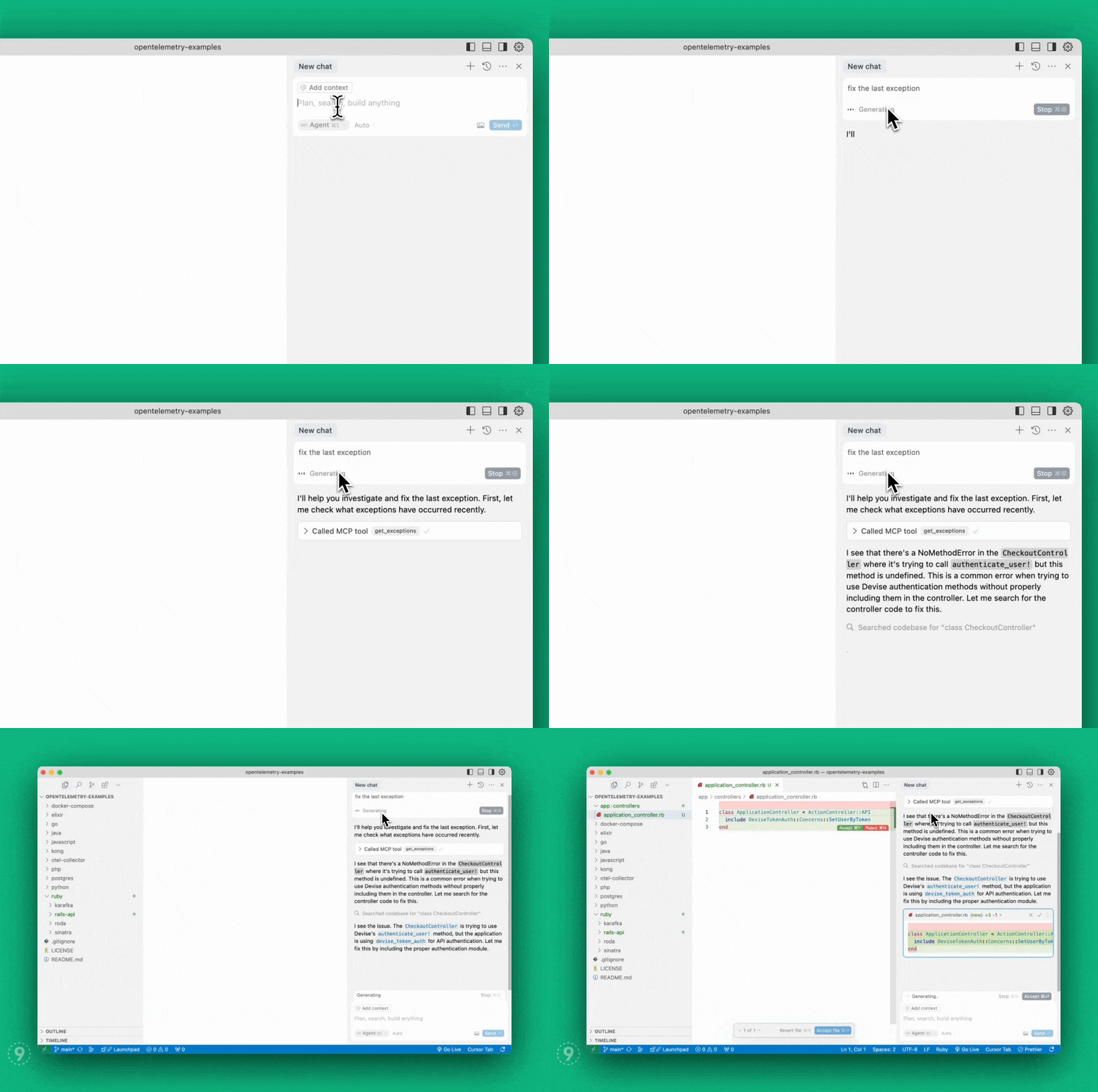
Your AI agent doesn't know what's broken in production. This fixes that.
Last9 MCP Server connects Claude, Cursor, Windsurf, and any other MCP-capable AI assistant directly to your production observability data — logs, metrics, traces, exceptions, database queries, alerts, and deployments. The agent stops guessing and starts reading the actual signal.
Start in 30 seconds (Hosted)
No binary to install. No tokens to manage. One URL, OAuth in your browser, done.
Find your org slug in your Last9 URL: app.last9.io/<org_slug>/...
Claude Code
claude mcp add --transport http last9 https://app.last9.io/api/v4/organizations/<org_slug>/mcpType /mcp, select last9, authenticate. That's it.
Cursor
Settings > MCP > Add New MCP Server:
{
  "mcpServers": {
    "last9": {
      "type": "http",
      "url": "https://app.last9.io/api/v4/organizations/<org_slug>/mcp"
    }
  }
}Click Connect, complete OAuth.
VS Code
Requires v1.99+. Open Command Palette → MCP: Add Server, paste the URL, authenticate.
Or directly in settings.json:
{
  "mcp": {
    "servers": {
      "last9": {
        "type": "http",
        "url": "https://app.last9.io/api/v4/organizations/<org_slug>/mcp"
      }
    }
  }
}Windsurf
Settings > Cascade > Open MCP Marketplace > gear icon (mcp_config.json):
{
  "mcpServers": {
    "last9": {
      "serverUrl": "https://app.last9.io/api/v4/organizations/<org_slug>/mcp"
    }
  }
}Claude Web/Desktop
Settings > Connectors > Add custom connector. Name it last9, paste the URL, authenticate.
Requires admin access to your Claude organization.
Self-Hosted (STDIO)
Use this when your MCP client doesn't support HTTP transport, or when you need the server running locally.
Install
Homebrew:
brew install last9/tap/last9-mcpNPM:
npm install -g @last9/mcp-server@latest
# or directly:
npx -y @last9/mcp-server@latestBinary releases (Windows / manual):
Download from GitHub Releases:
| Platform | Archive |
|---|---|
| Windows (x64) | last9-mcp-server_Windows_x86_64.zip |
| Windows (ARM64) | last9-mcp-server_Windows_arm64.zip |
| Linux (x64) | last9-mcp-server_Linux_x86_64.tar.gz |
| Linux (ARM64) | last9-mcp-server_Linux_arm64.tar.gz |
| macOS (x64) | last9-mcp-server_Darwin_x86_64.tar.gz |
| macOS (ARM64) | last9-mcp-server_Darwin_arm64.tar.gz |
Get a Refresh Token
Only admins can create tokens.
- Go to API Access
- Click Generate Token with Write permissions
- Copy it
Client Configuration
Homebrew:
{
  "mcpServers": {
    "last9": {
      "command": "/opt/homebrew/bin/last9-mcp",
      "env": {
        "LAST9_REFRESH_TOKEN": "<your_refresh_token>"
      }
    }
  }
}NPM:
{
  "mcpServers": {
    "last9": {
      "command": "npx",
      "args": ["-y", "@last9/mcp-server@latest"],
      "env": {
        "LAST9_REFRESH_TOKEN": "<your_refresh_token>"
      }
    }
  }
}Where to paste this:
| Client | Location |
|---|---|
| Claude Web/Desktop | Settings > Developer > Edit Config (claude_desktop_config.json) |
| Cursor | Settings > Cursor Settings > MCP > Add New Global MCP Server |
| Windsurf | Settings > Cascade > MCP Marketplace > gear icon (mcp_config.json) |
| VS Code | Wrap in { "mcp": { "servers": { ... } } } in settings.json — details |
{
  "mcp": {
    "servers": {
      "last9": {
        "type": "stdio",
        "command": "/opt/homebrew/bin/last9-mcp",
        "env": {
          "LAST9_REFRESH_TOKEN": "<your_refresh_token>"
        }
      }
    }
  }
}For NPM: use "command": "npx" and add "args": ["-y", "@last9/mcp-server@latest"].
After downloading from GitHub Releases, extract and point to the full path:
{
  "mcpServers": {
    "last9": {
      "command": "C:\\Users\\<user>\\AppData\\Local\\Programs\\last9-mcp-server.exe",
      "env": {
        "LAST9_REFRESH_TOKEN": "<your_refresh_token>"
      }
    }
  }
}The NPM route is easier on Windows — no path management.
</details>Environment Variables
| Variable | Default | Description |
|---|---|---|
LAST9_REFRESH_TOKEN | (required) | Refresh token from API Access |
LAST9_DATASOURCE | org default | Datasource/cluster name — useful when you have multiple Levitate clusters |
LAST9_API_HOST | app.last9.io | Override the API host |
LAST9_TOOLSETS | all tools | Comma-separated toolsets to expose (logs, traces, metrics, alerts, dashboards, investigate, all). Alias: LAST9_MCP_TOOLSETS |
LAST9_MAX_GET_LOGS_ENTRIES | 5000 | Max entries for chunked get_logs requests |
LAST9_DEBUG_CHUNKING | false | Set true to log chunk-planning details for get_logs, get_service_logs, get_traces |
LAST9_DISABLE_TELEMETRY | true | Set false to enable internal OTel tracing |
OTEL_SDK_DISABLED | — | Standard OTel env var. Overrides LAST9_DISABLE_TELEMETRY |
OTEL_EXPORTER_OTLP_ENDPOINT | — | OTLP collector endpoint (only when telemetry is enabled) |
OTEL_EXPORTER_OTLP_HEADERS | — | OTLP auth headers (only when telemetry is enabled) |
What It Can Do
Service Health
get_service_summary— Throughput, error rate, p95 response time across all servicesget_service_environments— Available environments for your services. Run this first — other APM tools needenvfrom hereget_service_performance_details— Full breakdown: throughput, error rate, p50/p90/p95/avg/max, apdex, availabilityget_service_operations_summary— Operations grouped by HTTP endpoints, DB calls, messaging, HTTP clientsget_service_dependency_graph— Dependency map with throughput, latency, and error rates for upstream/downstream/infraget_apm_service_deviations— Compare a current window against an equal-duration baseline: regressions/improvements, Apdex reconciliation, and a terminal outcome (fleet or single service)get_exceptions— Server-side exceptions with service and span filters
Database Observability
Four tools that go directly at your database performance, derived from OpenTelemetry trace spans. No extra instrumentation needed if you're already using OTel.
get_databases— Discover all databases across your infrastructure: DB type, host, throughput (queries/min), p95 latency, error rate, number of dependent servicesget_database_slow_queries— The actual slowest query executions, ordered by duration, with trace IDs for drilling into full tracesget_database_queries— Query patterns and aggregates: how often a query runs, average/p95 duration, error rateget_database_server_metrics— Server-side metrics from the DB host itself (CPU, connections, buffer hit rates — depends on your DB system)
Supports PostgreSQL, MySQL, MongoDB, Redis, Aerospike, and anything else OTel traces with a db_system attribute.
Prometheus / PromQL
prometheus_range_query— PromQL range queries over any metricprometheus_instant_query— Instant queries; use rollup functions likeavg_over_time,sum_over_timeprometheus_label_values— Label values for a given seriesprometheus_labels— All labels available for a series
Point these at a different datasource/cluster than the default by setting LAST9_DATASOURCE.
Logs
get_logs— Full JSON pipeline log queries (aggregations, filters, field extraction)get_service_logs— Raw log lines for a service, filterable by severity and body contentget_log_attributes— Global catalog of attributes in the log schema for a time windowget_log_attributes_for_pipeline— Log fields actually present for an in-progress pipeline (scoped discovery), each with its exactfilter_fieldget_drop_rules— Log drop rules from Last9 Control Planeadd_drop_rule— Create a new drop rule to cut log volume at the source
Traces
get_traces— JSON pipeline trace queries for broad searches and aggregationsget_service_traces— Traces by exact trace ID or service name. Use this when you have a trace ID — it's fasterget_trace_attributes— Global catalog of attributes in the trace schemaget_trace_attributes_for_pipeline— Attributes actually present for an in-progress pipeline (scoped discovery), each with its exactfilter_fieldget_trace_attribute_values— Distinct values for a trace attribute, optionally scoped to a pipelineget_trace_attribute_deviations— Ranks attribute values that differ between two bounded span cohorts (slow vs fast, error vs non-error, or two time windows). Correlation, not causeget_trace_waterfall— One exact trace as a parent/child waterfall with interval-union self-time, slowest spans, and graph warnings
Change Events & Alerts
get_change_events— Deployments, config changes, rollbacks. Correlate incidents with what changedget_alert_config— Alert rule configurations — searchable by name, severity, type, tagsget_alerts— Currently firing alerts within a time windowget_alert_rule_state— Historical firing state (1/0) per alert rule over a time range, grouped byrule_id. Filterable by alert group, rule name, label filters, and state.get_notification_channels— Configured notification channels (Slack, PagerDuty, email, etc.)
Custom Dashboards
list_dashboards— All custom dashboards in your org: IDs, names, and metadataget_dashboard— Full dashboard definition by ID, including panels and queriescreate_dashboard— Create a new custom dashboard with panels, queries, and metadataupdate_dashboard— Update an existing dashboard by ID (readonly system dashboards return an error)delete_dashboard— Delete a custom dashboard by IDlist_dashboard_snapshots— Frozen point-in-time snapshots for a dashboard (metadata only)get_dashboard_snapshot— Full frozen snapshot including panel data for RCA / shareable viewsdelete_dashboard_snapshot— Delete a frozen snapshot by ID
Fuzzy Name Resolution
did_you_mean— When the agent isn't sure about an entity name, this returns the closest matches from your catalog (services, environments, hosts, databases, K8s deployments/namespaces, jobs). Up
…