Back to MCP Servers

OpenAI Server

Access OpenAI APIs for completions, embeddings, image generation, and model management

openaiaillmembeddingsgptcommunity
By OpenAI Community
8121Updated 1 year agoPythonMIT

Installation

npm install -g @openai/mcp-server

Configuration

{
  "mcpServers": {
    "openai": {
      "command": "npx",
      "args": ["-y", "@openai/mcp-server"],
      "env": {
        "OPENAI_API_KEY": "your-openai-api-key"
      }
    }
  }
}

How to use

  1. Run the installation command above (if needed)
  2. Open your Claude Code settings file (~/.claude/settings.json)
  3. Add the configuration to the mcpServers section
  4. Restart Claude Code to apply changes

OpenAI MCP Server

Query OpenAI models directly from Claude using MCP protocol.
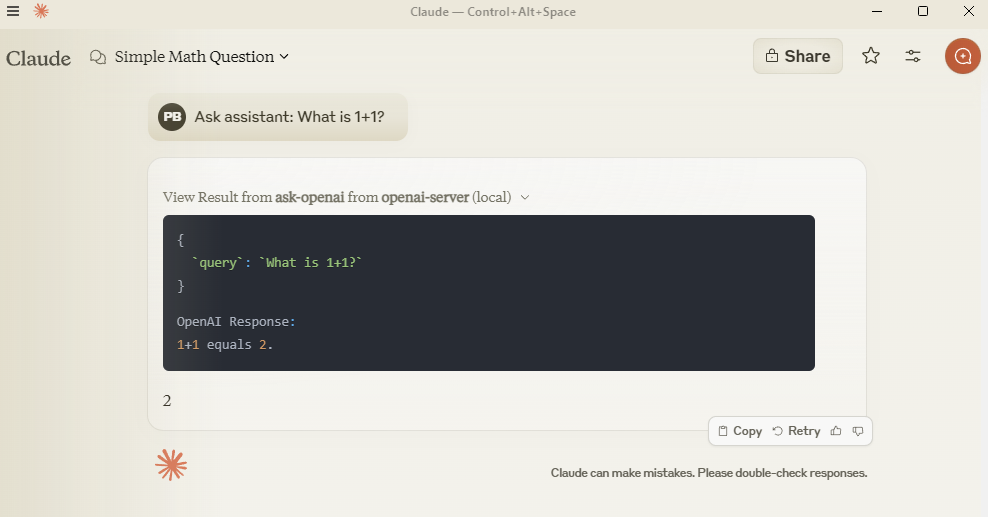
preview

Setup

Add to claude_desktop_config.json:

{
  "mcpServers": {
    "openai-server": {
      "command": "python",
      "args": ["-m", "src.mcp_server_openai.server"],
      "env": {
        "PYTHONPATH": "C:/path/to/your/mcp-server-openai",
        "OPENAI_API_KEY": "your-key-here"
      }
    }
  }
}

Development

git clone https://github.com/pierrebrunelle/mcp-server-openai
cd mcp-server-openai
pip install -e .

Testing

# Run tests from project root
pytest -v test_openai.py -s

# Sample test output:
Testing OpenAI API call...
OpenAI Response: Hello! I'm doing well, thank you for asking...
PASSED

License

MIT License

View source on GitHub