DeepLook
LLMs hallucinate financial data. DeepLook gives them real numbers instead.


What happens when you ask "Research NVIDIA"
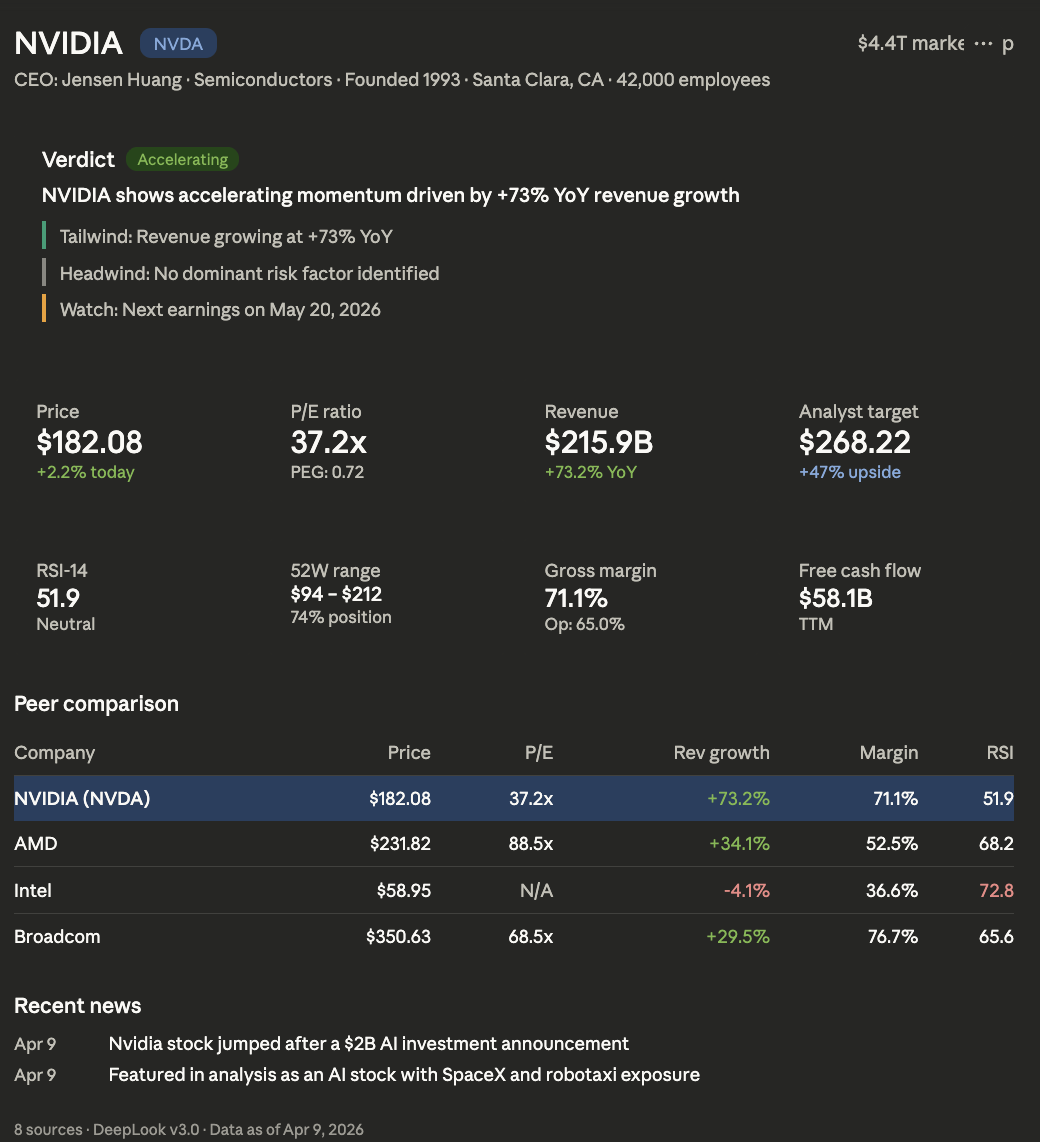
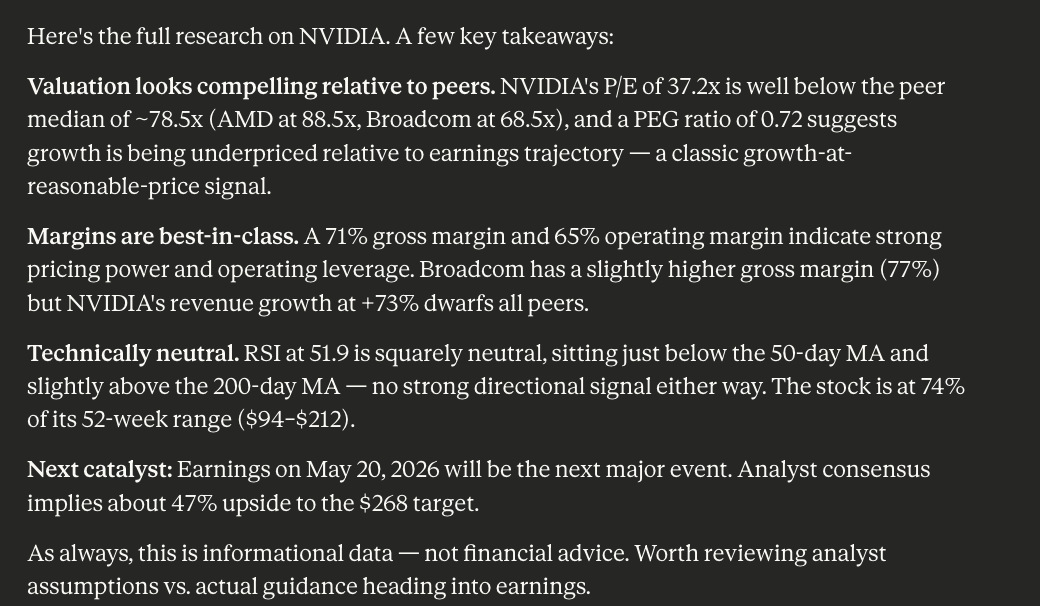
DeepLook provides structured context — real-time data from 8 APIs combined with analytical instructions that makes better output. The result:
- Accurate, up-to-date information — not hallucinated numbers
- Clear at a glance — financials, peers, technicals, news in one view
- Better AI output — because good context drives good analysis
Works for financial research, business due diligence, or any use case where you need to understand a company fast.
Get started
Claude.ai
- Go to Settings → Connectors → Add MCP
- Paste:
https://mcp.deeplook.dev/mcp - Start a new chat and ask: "Research NVIDIA"
Other MCP clients (Cursor, VS Code, Windsurf, Claude Desktop)
{
  "mcpServers": {
    "deeplook": {
      "url": "https://mcp.deeplook.dev/mcp"
    }
  }
}Claude Code
claude mcp add --transport http deeplook https://mcp.deeplook.dev/mcpSelf-host
git clone https://github.com/OSOJDJD/deeplook.git
cd deeplook
pip install -r requirements.txt
python -m deeplook.mcp_serverWhat it covers
| Type | Examples |
|---|---|
| Public stocks | NVIDIA, Apple, Tesla, TSMC |
| Crypto | Bitcoin, Solana, Ethereum |
| Private companies | Anthropic, Stripe, OpenAI |
| VC firms | a16z, Sequoia |
| Defunct | FTX, WeWork |
Extend DeepLook
DeepLook covers the basics. If you need data it doesn't have yet — a new market, a new data source, a new analysis rule — you can add it. See CONTRIBUTING.md.
Roadmap
- More query tools — news, peers, financials, calendar as standalone lookups
- Broader client support — Cursor, ChatGPT, VS Code, Windsurf, Claude Code
- Deeper context — more analytical conditions, entity-specific instructions
- Community contributions — new data sources, custom analysis rules
License
Built by @OSOJDJD