<img width="25" height="25" alt="vm-community-icon" src="https://github.com/user-attachments/assets/1c060750-370a-4440-b619-78b78c7abd7a" /> VictoriaMetrics MCP Server


The implementation of Model Context Protocol (MCP) server for VictoriaMetrics.
This provides access to your VictoriaMetrics instance and seamless integration with VictoriaMetrics APIs and documentation. It can give you a comprehensive interface for monitoring, observability, and debugging tasks related to your VictoriaMetrics instances, enable advanced automation and interaction capabilities for engineers and tools.
Features
This MCP server allows you to use almost all read-only APIs of VictoriaMetrics, i.e. all functions available in VMUI:
- Querying metrics and exploring data (even drawing graphs if your client supports it)
- Listing and exporting available metrics, labels, labels values and entire series
- Analyzing and testing your alerting and recording rules and alerts
- Showing parameters of your VictoriaMetrics instance
- Exploring cardinality of your data and metrics usage statistics
- Analyzing, tracing, prettifying and explaining your queries
- Debugging your relabeling rules, downsampling and retention policy configurations
- Integration with VictoriaMetrics Cloud
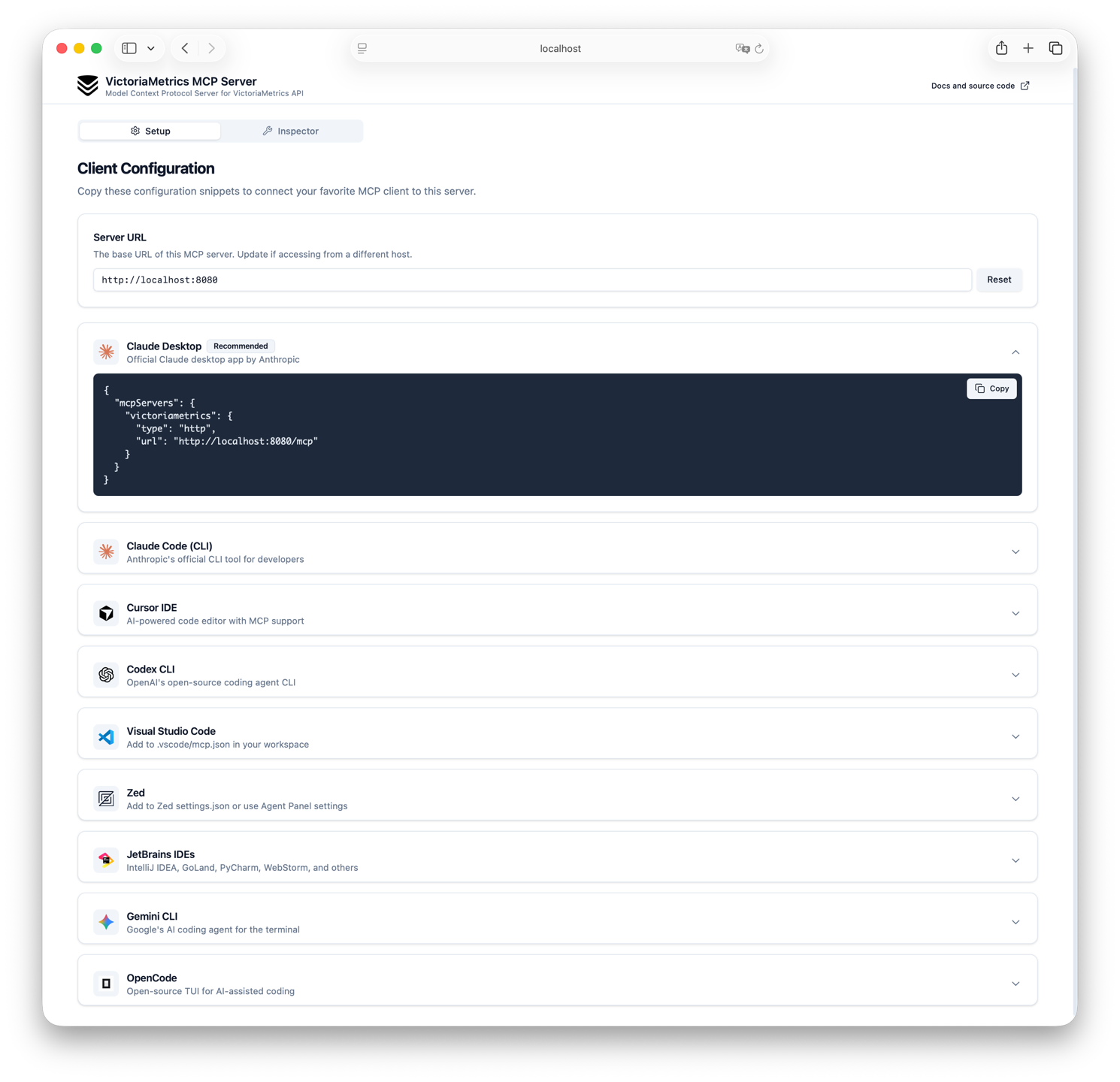
- UI with setup instrinctions and tools inspection on the root endpoint (only in Streamable HTTP mode)
In addition, the MCP server contains embedded up-to-date documentation and is able to search it without online access.
More details about the exact available tools and prompts can be found in the Usage section.
You can combine functionality of tools, docs search in your prompts and invent great usage scenarios for your VictoriaMetrics instance. Just check the Dialog example section to see how it can work. And please note the fact that the quality of the MCP Server and its responses depends very much on the capabilities of your client and the quality of the model you are using.
You can also combine the MCP server with other observability or doc search related MCP Servers and get even more powerful results.
Try without installation
There is a publicly available instance of the VictoriaMetrics MCP Server that you can use to test the features without installing it:
https://play-mcp.victoriametrics.com/mcpAttention! This URL is not supposed to be opened in a browser, it is intended to be used in MCP clients.
It's available in Streamable HTTP mode and configured to work with Public VictoriaMetrics Playground.
Here is example of configuration for Claude Desktop:
Requirements
- VictoriaMetrics or VictoriaMetrics Cloud instance (single-node or cluster)
- Go 1.26 or higher (if you want to build from source)
Installation
Binaries
Just download the latest release from Releases page and put it to your PATH.
Example for Linux x86_64 (note that other architectures and platforms are also available):
latest=$(curl -s https://api.github.com/repos/VictoriaMetrics/mcp-victoriametrics/releases/latest | grep 'tag_name' | cut -d\" -f4)
wget https://github.com/VictoriaMetrics/mcp-victoriametrics/releases/download/$latest/mcp-victoriametrics_Linux_x86_64.tar.gz
tar axvf mcp-victoriametrics_Linux_x86_64.tar.gzDocker
You can run VictoriaMetrics MCP Server using Docker.
This is the easiest way to get started without needing to install Go or build from source.
docker run -d --name mcp-victoriametrics \
  -e VM_INSTANCE_ENTRYPOINT=https://play.victoriametrics.com \
  -e VM_INSTANCE_TYPE=cluster \
  -e MCP_SERVER_MODE=sse \
  -e MCP_LISTEN_ADDR=:8080 \
  -p 8080:8080 \
ghcr.io/victoriametrics/mcp-victoriametricsYou should replace environment variables with your own parameters.
Note that the MCP_SERVER_MODE=http flag is used to enable Streamable HTTP mode.
More details about server modes can be found in the Configuration section.
See available docker images in github registry.
Also see Using Docker instead of binary section for more details about using Docker with MCP server with clients in stdio mode.
Source Code
For building binary from source code you can use the following approach:
-
Clone repo:
git clone https://github.com/VictoriaMetrics/mcp-victoriametrics.git cd mcp-victoriametrics -
Build binary from cloned source code:
make build # after that you can find binary mcp-victoriametrics and copy this file to your PATH or run inplace -
Build image from cloned source code:
docker build -t mcp-victoriametrics .
# after that you can use docker image mcp-victoriametrics for running or pushing
Helm
Check out VictoriaMetrics MCP Server Helm chart documentation for more details about installation using Helm.
Configuration
MCP Server for VictoriaMetrics is configured via environment variables:
| Variable | Description | Required | Default | Allowed values |
|---|---|---|---|---|
VM_INSTANCE_ENTRYPOINT / VMC_API_KEY | URL to VictoriaMetrics instance (it should be root / URL of vmsingle or vmselect) | Yes (if you don't use VMC_API_KEY) | - | - |
VM_INSTANCE_TYPE | Type of VictoriaMetrics instance | Yes (if you don't use VMC_API_KEY) | - | single, cluster |
VM_INSTANCE_BEARER_TOKEN | Authentication token for VictoriaMetrics API | No | - | - |
VM_INSTANCE_HEADERS | Custom HTTP headers to send with requests (comma-separated key=value pairs) | No | - | - |
MCP_PASSTHROUGH_HEADERS | HTTP header names to forward from incoming MCP requests to VictoriaMetrics (comma-separated list). Overrides VM_INSTANCE_HEADERS on collision. Only applies in sse/http modes. | No | - | - |
VM_DEFAULT_TENANT_ID | Default tenant ID for cluster mode. Format: accountID or accountID:projectID (32-bit integers). See VictoriaMetrics cluster docs | No | 0 | - |
VMC_API_KEY | API key from VictoriaMetrics Cloud Console | No | - | - |
MCP_SERVER_MODE | Server operation mode. See Modes for details. | No | stdio | stdio, sse, http |
MCP_LISTEN_ADDR | Address for SSE or HTTP server to listen on | No |
…