42Crunch Claude Plugins
The official 42Crunch plugin marketplace for Claude Code — a catalog of AI-powered plugins that bring 42Crunch's API security capabilities directly into your Claude Code workflow.
42Crunch plugins give Claude the ability to audit OpenAPI specs, scan live APIs for vulnerabilities, and apply fixes to ensure APIs meet security guardrails.
Structure
.claude-plugin/
  marketplace.json              # Plugin registry manifest
docs/                           # Repository-level documentation assets
  images/                       # Screenshots and diagrams used in READMEs
plugins/                        # Claude plugins developed by 42Crunch
  api-security-testing/
    .claude-plugin/
      plugin.json               # Plugin metadata
    skills/                     # Skill definitions
    references/                 # Reference definitions
    README.md                   # Documentation
LICENSE # LicensePrerequisites
The Claude Code CLI is required to add marketplaces and install plugins using the claude CLI commands below.
Adding this Marketplace
Register the 42Crunch marketplace with Claude Code:
Using Claude Code CLI
claude plugin marketplace add https://github.com/42Crunch-AI/claude-pluginsOr Using an interactive Claude Code session
/plugin marketplace add https://github.com/42Crunch-AI/claude-pluginsOr Using Claude Code (for VSCode) plugin manager
- Type
/pluginand press Enter to open the plugin manager:
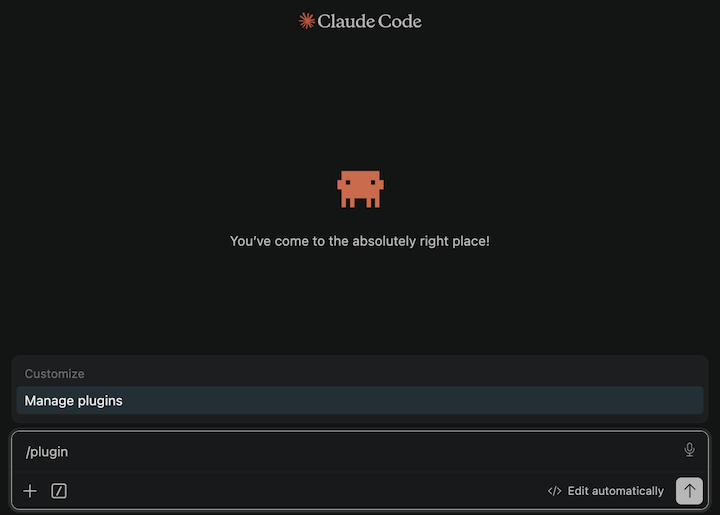
- On the Marketplaces tab, paste the 42Crunch marketplace URL:
https://github.com/42Crunch-AI/claude-plugins- Click Add to add the marketplace
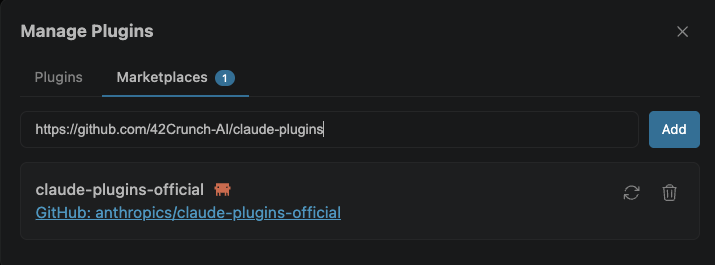
Available Plugins
42crunch-api-security-testing
AI-powered API security plugin backed by 42Crunch. Audit OpenAPI specs, detect OWASP API Security vulnerabilities (including BOLA/BFLA), run live conformance and authorization scans against running APIs, and apply AI-assisted fixes — all through natural language.
Install: After registering the marketplace (see above), install the plugin:
Using Claude Code CLI
claude plugin install 42crunch-api-security-testing@42crunch-marketplaceOr Using an interactive Claude Code session
/plugin install 42crunch-api-security-testing@42crunch-marketplaceOr Using Claude Code (for VSCode) plugin manager
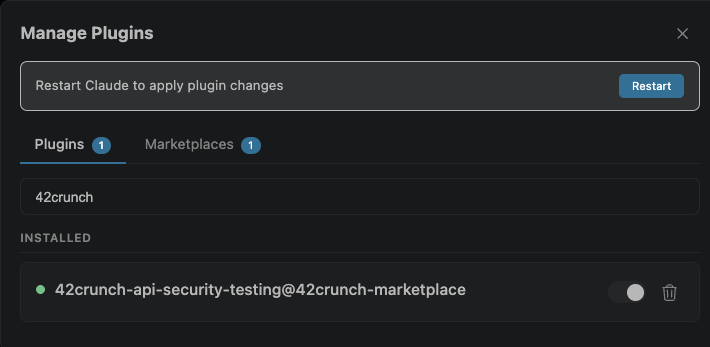
- On the Plugins tab, search for the 42Crunch plugin:
- Type '42crunch' in the search bar
- Click Install on the
42crunch-api-security-testingplugin
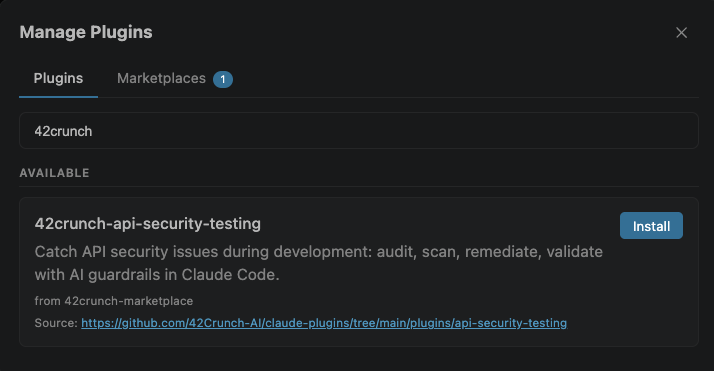
- Choose the scope of the plugin installation (User, Project, Local):
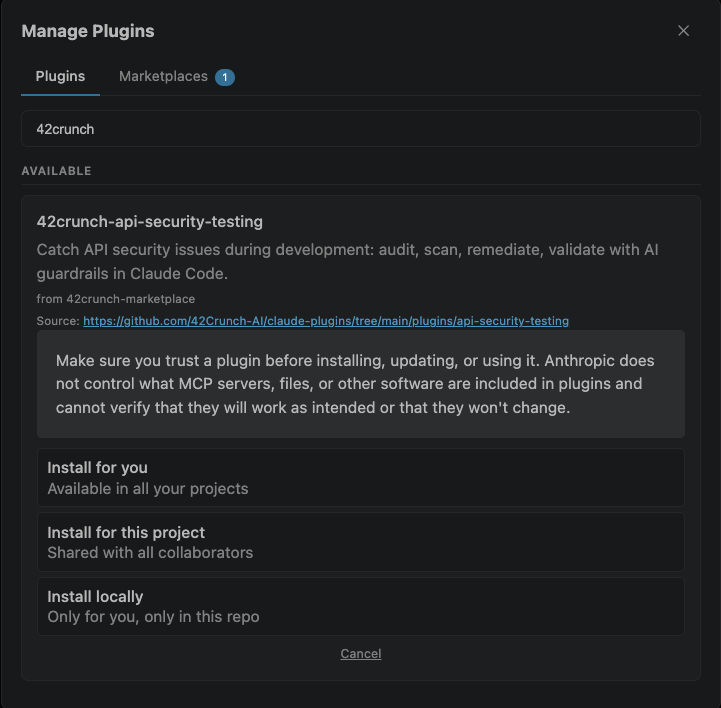
- Click Restart to apply the changes:
See the plugin README for full documentation and RECIPES.md for common scenario guides.