CCPM – The Project Manager Agent






Spec-driven development for AI agents – ship faster better using PRDs, GitHub issues, and multiple agents running in parallel.
Stop losing context. Stop blocking on tasks. Stop shipping bugs. CCPM gives your AI agent a structured PM brain: turn ideas into PRDs, PRDs into epics, epics into GitHub issues, and issues into production code — with full traceability at every step.
[!IMPORTANT] 📢 CCPM is now an AGENT SKILL! It works with any Agent Skills–compatible harness that supports skills: Claude Code, Codex, OpenCode, Factory, Amp, Cursor, and more.
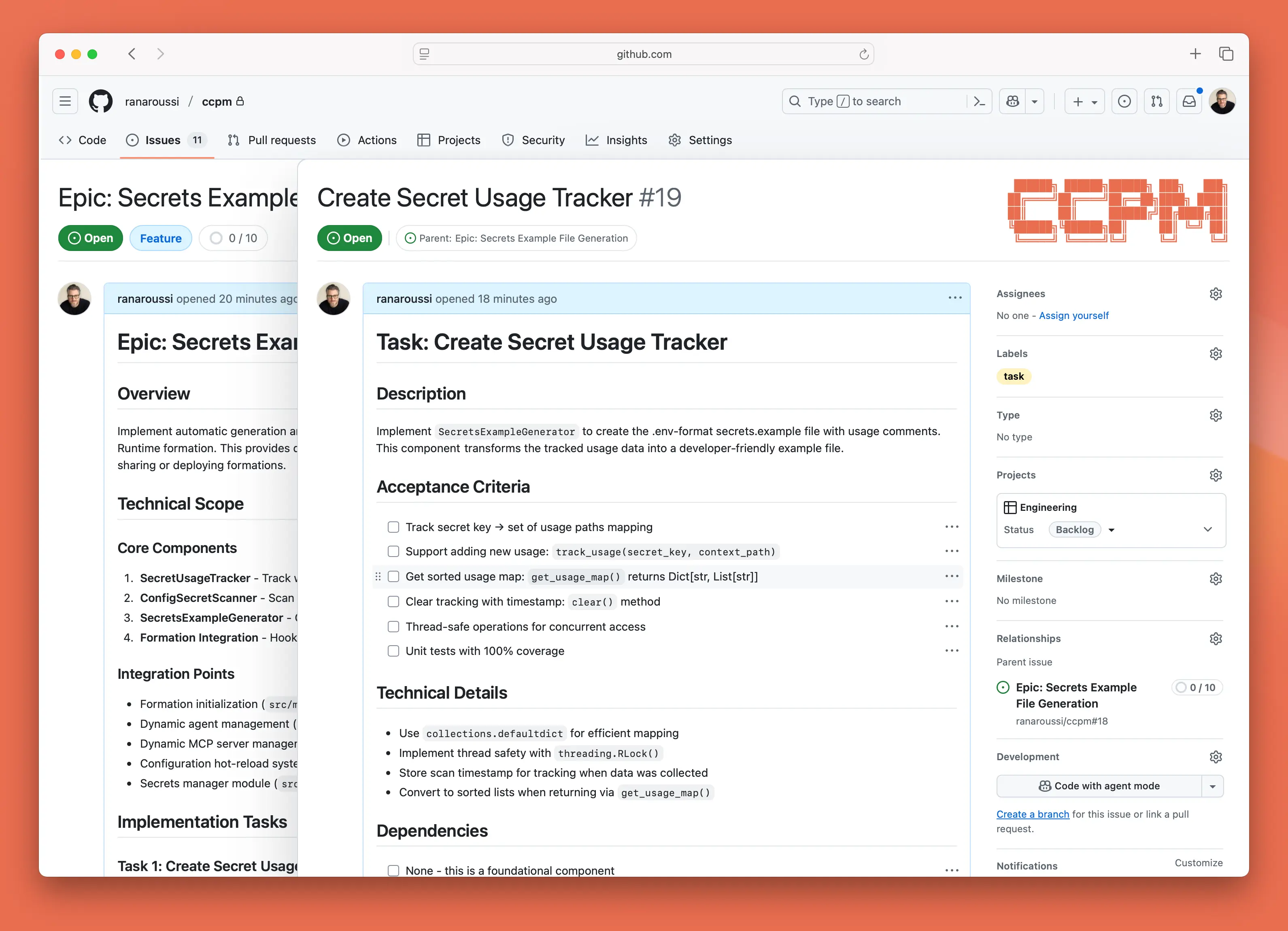
Table of Contents
- Background
- The Workflow
- What Makes This Different
- Why GitHub Issues
- Core Principle: No Vibe Coding
- The Parallel Execution System
- Key Features & Benefits
- Install
- Usage
- Workflow Phases
- Skill Structure
- Example Flow
- Proven Results
- Local vs Remote
- Technical Notes
- Who's Behind this Project
[!NOTE] Check out proof to get your agents capture visual proof of work of terminal output, browser interactions, and mobile simulator recordings.
Background
Every team struggles with the same problems:
- Context evaporates between sessions, forcing constant re-discovery
- Parallel work creates conflicts when multiple agents touch the same code
- Requirements drift as verbal decisions override written specs
- Progress becomes invisible until the very end
CCPM solves all of that.
The Workflow
graph LR
    A[PRD Creation] --> B[Epic Planning]
    B --> C[Task Decomposition]
    C --> D[GitHub Sync]
D --> E[Parallel Execution]See It In Action
"I want to build a notification system — where do we start?"
→ Guided brainstorming + PRD creation

"break down the notification-system epic"
→ Parallelizable task files with dependencies

"sync the notification-system epic to GitHub"
→ Epic issue + sub-issues + worktree

"start working on issue 42"
→ Parallel stream analysis + multiple agents launched

"what's our standup for today?"
→ Instant report from project filesWhat Makes This Different
| Traditional AI Development | CCPM |
|---|---|
| Context lost between sessions | Persistent context across all work |
| One agent, one task | Parallel agents on independent streams |
| Vibe coding from memory | Spec-driven with full traceability |
| Progress hidden in chat logs | Transparent audit trail in GitHub |
| Scattered status updates | Structured standup, blocked, next |
Why GitHub Issues
Most AI coding workflows operate in isolation — a single session with no shared state. CCPM uses GitHub Issues as the source of truth, which unlocks something fundamentally different:
Team collaboration — multiple agents (or humans) work on the same project simultaneously. Progress is visible in real-time through issue comments.
Seamless handoffs — an agent can start a task, a human can finish it, or vice versa. No "what did the AI do?" meetings.
Single source of truth — no separate databases or project management tools. Issue state is project state. Comments are the audit trail.
Works with what you have — no dependency on GitHub Projects. Integrates with existing labels, milestones, and PR workflows.
Core Principle: No Vibe Coding
Every line of code must trace back to a specification.
CCPM enforces a strict 5-phase discipline:
- 🧠 Brainstorm — think deeper than comfortable
- 📝 Document — write specs that leave nothing to interpretation
- 📐 Plan — architect with explicit technical decisions
- ⚡ Execute — build exactly what was specified
- 📊 Track — maintain transparent progress at every step
No shortcuts. No assumptions. No regrets.
The Parallel Execution System
Issues Aren't Atomic
Traditional thinking: one issue = one agent = one task
Reality: a single "Implement user authentication" issue is actually:
- Agent 1: Database tables and migrations
- Agent 2: Service layer and business logic
- Agent 3: API endpoints and middleware
- Agent 4: UI components and forms
- Agent 5: Test suites and documentation
All running simultaneously in the same worktree.
The Math of Velocity
| Approach | Agents working | Wall time |
|---|---|---|
| Traditional (serial) | 1 | 5x |
| CCPM (parallel streams) | 5 | 1x |
Context Stays Clean
Each agent handles its own context in isolation. Your main conversation becomes the conductor — it never drowns in implementation details. Agents read from .claude/epics/ and commit progress back through Git.
Key Features & Benefits
🧠 Context preservation — project state lives in files, not in your head or chat history. Start a session anywhere, any time.
⚡ Parallel execution — tasks marked parallel: true run concurrently across multiple agents without conflicts.
🔗 GitHub native — works with tools your team already uses. No dependency on the Projects API.
📊 Full traceability — every decision documented. PRD → Epic → Task → Issue → Code → Commit.
🤖 Deterministic ops run as scripts — status, standup, search, validate all run as bash scripts: fast, consistent, no LLM token cost.
🌐 Harness-agnostic — follows the agentskills.io open standard. Works with Factory, Claude Code, Amp, OpenCode, Codex, Cursor, and more.
Install
CCPM is a standard Agent Skill. Point your harness at skill/ccpm/ — that's it.
Clone the repo
git clone https://github.com/automazeio/ccpm.gitFactory / Droid
# Symlink into your skills directory
ln -s /path/to/ccpm/skill/ccpm ~/.factory/skills/ccpmClaude Code
In your project root, add a skills/ directory and symlink or copy the skill:
ln -s /path/to/ccpm/skill/ccpm .claude/skills/ccpmAny other Agent Skills–compatible harness
Point it at skill/ccpm/. It follows the agentskills.io standard and works out of the box.
Prerequisites
gitandghCLI (authenticated:gh auth login)- A GitHub repository for your project
Usage
CCPM activates automatically when your agent detects PM intent. Just talk naturally — no special syntax needed.
Natural language triggers
| What you say | What happens |
|---|---|
| "I want to build X" / "let's plan X" | Brainstorming + PRD creation |
| "parse the X PRD" / "create an epic for X" | PRD → technical epic |
| "break down the X epic" | Epic decomposition into tasks |
| "sync the X epic to GitHub" | Issues created, worktree set up |
| "start working on issue N" | Analysis + parallel agents launched |
| "standup" / "what's our status" | Bash script runs instantly |
| "what's next" / "what's blocked" | Priority queue from project files |
| "close issue N" | Local + GitHub updated |
| "merge the X epic" | Tests, merge, cleanup |
Workflow Phases
1. Plan — Capture requirements
"I want to build a notification system — push, email, and in-app"CCPM conducts guided brainstorming before writing anything. It asks about the problem, users, success criteria, constraints, and what's out of scope — then creates a structured PRD at .claude/prds/<name>.md.
When ready: "parse the notification-system PRD" → produces a technical epic at .claude/epics/notification-system/epic.md with architecture decisions, technical approach, and task preview.
2. Structure — Break it down
"break down the notification-system epic into tasks"Each task gets a file with acceptance criteria, effort estimate, depends_on, parallel, and conflicts_with metadata. Tasks are intelligently batched for parallel creation. ≤10 tasks per epic by default.
3. Sync — Push to GitHub
"sync the notification-system epic to GitHub"Creates an epic issue, creates sub-issues for each task, renames local files to match GitHub issue numbers, sets up a dedicated worktree (../epic-notification-system/), and creates a mapping file for reference.
4. Execute — Start building
"start working on issue 42"Analyzes the issue for independent work streams, launches parallel agents scoped to their own files, and sets up progress tracking. Each agent commits with Issue #N: description and coordinates through Git.
5. Track — Know where things stand
"standup" / "what's blocked" / "what's next"All tracking operations run as bash scripts — instant output, no LLM overhead. The scripts scan .claude/epics/ and report what's in progress, what's next, and what's blocked.
Skill Structure
skill/ccpm/
├── SKILL.md                  # Entry point — detects intent, routes to reference
└── references/
    ├── plan.md               # PRD writing + parsing to epic
    ├── structure.md          # Epic decomposition into tasks
    ├── sync.md               # GitHub sync, progress comments, close, merge
    ├── execute.md            # Issue analysis + parallel agent launch
    ├── track.md              # Status, standup, search, next, blocked
    ├── conventions.md        # File formats, frontmatter schemas, git rules
    └── scripts/              # Bash scripts for deterministic operations
        ├── status.sh
        ├── standup.sh
        ├── epic-list.sh
        ├── search.sh
└── ... # 14 scripts totalYour project files live in .claude/ in your project root:
.claude/
├── prds/                     # Product requirement documents
├── epics/
│   └── <feature>/
│       ├── epic.md           # Technical epic
│       ├── <N>.md            # Task files (named by GitHub issue number after sync)
│       ├── <N>-analysis.md   # Parallel work stream analysis
│       └── updates/          # Agent progress tracking
└── (archived epics)Files are the source of truth — plain markdown that lives in your repo, no external services.
Example Flow
You: "I want to build a payment integration with Stripe — subscriptions and one-time charges"

CCPM: Asks 5 clarifying questions about scope, users, success criteria...

You: [answers]

CCPM: ✅ PRD created: .claude/prds/payment-integration.md
      Ready to create the technical epic?

You: "yes, parse it"

CCPM: ✅ Epic created: .claude/epics/payment-integration/epic.md
      8 task categories identified. Ready to decompose?

You: "break it down"

CCPM: ✅ Created 7 tasks — 5 parallel, 2 sequential
      Ready to push to GitHub?

You: "sync it"

CCPM: ✅ Epic #1234 created
      ✅ 7 sub-issues created (#1235–#1241)
      ✅ Worktree: ../epic-payment-integration/

You: "start working on issue 1235"

CCPM: Analyzed 3 parallel streams:
      Stream A: Stripe client setup ✓ Started
      Stream B: Webhook handler ✓ Started
      St

…