Cyntrisec CLI



Historical pre-company project.
cyntrisec-cliwas created before Cyntrisec narrowed its company focus to EphemeralML and AIR v1. It is not a current Cyntrisec product, support surface, or commercial offering. The PyPI package namecyntrisec, CLI commandcyntrisec, and MCP server IDio.github.cyntrisec/cyntrisecare retained only to avoid breaking historical installs.
[!CAUTION] Historical Software Disclaimer: This tool is no longer an active Cyntrisec product. It is provided "as is", without warranty of any kind. While the CLI is a read-only analysis tool by default, the user assumes all responsibility for any actions taken based on its findings. Always review generated remediation plans and Terraform code before application.
Historical AWS capability graph analysis and attack path discovery CLI.
A read-only CLI tool that historically:
- Scans AWS infrastructure via AssumeRole
- Builds a capability graph (IAM, network, dependencies)
- Discovers attack paths from internet to sensitive targets
- Prioritizes fixes by ROI (security impact + cost savings)
- Identifies unused capabilities (blast radius reduction)
- Outputs deterministic JSON with proof chains
Demo
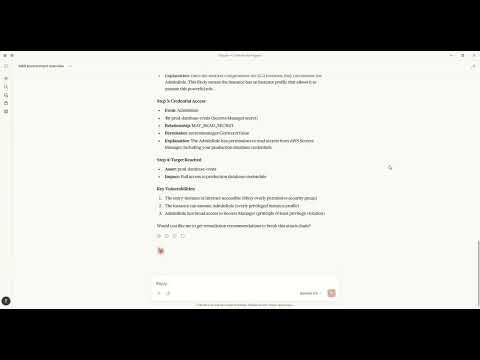
Watch how to discover attack paths and generate fixes using natural language with Claude MCP.
Architecture
+----------------------------------------------------------------------------------+
|                                   CYNTRISEC CLI                                   |
+----------------------------------------------------------------------------------+
| CLI Layer (Typer)                                                                 |
|   scan   analyze   cuts   waste   report   comply   can   diff   serve   ...      |
+-----------------------------+----------------------------------------------------+
| Core Engine                 | Storage (local)                                     |
|  - AWS collectors           |  ~/.cyntrisec/scans/<scan_id>/                      |
|  - Normalization/schema     |    snapshot.json, assets.json, relationships.json   |
|  - GraphBuilder -> AwsGraph |    findings.json, attack_paths.json                 |
|  - Path search -> paths     |  ~/.cyntrisec/scans/latest -> <scan_id>             |
|  - Min-cut + Cost (ROI)     |  (Windows fallback: latest is a file)               |
+-----------------------------+----------------------------------------------------+
| Outputs: JSON/agent, HTML report, remediation plan + Terraform hints              |
+----------------------------------------------------------------------------------+Data Flow
CLI (scan) --AssumeRole--> AWS Session --Describe/Get/List--> AWS APIs (read-only)
     |
     v
Collectors -> normalize -> Assets + Relationships -> AwsGraph
                                                |
                                                v
                                   Attack path search (BFS/DFS)
                                                |
                                                v
                                   Min-cut (remediation cuts)
                                                |
                                                v
                                      Cost engine (ROI)

Local artifacts: ~/.cyntrisec/scans/<scan_id>/*.jsonInstallation
pip install cyntrisecWindows PATH Fix
If you see "cyntrisec is not recognized", the Scripts folder isn't on PATH:
# Option 1: Run with python -m
python -m cyntrisec --help

# Option 2: Add to PATH for current session
$env:PATH += ";$env:APPDATA\Python\Python311\Scripts"Quick Start
Prerequisite: Ensure you have AWS CLI installed and configured with credentials (e.g.,
aws configure) or environment variables set.terraformis required for the setup step.
# 1. Create the read-only IAM role in your account
cyntrisec setup iam 123456789012 --output role.tf

# 2. Apply the Terraform
cd your-infra && terraform apply

# 3. Run a scan
cyntrisec scan --role-arn arn:aws:iam::123456789012:role/CyntrisecReadOnly

# 4. View attack paths
cyntrisec analyze paths --min-risk 0.5

# 5. Find minimal fixes (prioritized by ROI)
cyntrisec cuts --format json

# 6. Generate HTML report
cyntrisec report --output report.htmlCommands
Core Analysis
| Command | Description |
|---|---|
scan | Scan AWS infrastructure |
analyze paths | View attack paths |
analyze findings | View security findings |
analyze stats | View scan statistics |
analyze business | Business entrypoint analysis |
report | Generate HTML/JSON report |
Setup & Validation
| Command | Description |
|---|---|
setup iam | Generate IAM role Terraform |
validate-role | Validate IAM role permissions |
Remediation
| Command | Description |
|---|---|
cuts | Find minimal fixes (Cost & ROI prioritized) |
waste | Find unused IAM permissions |
remediate | Generate or optionally apply Terraform plans (gated) |
Policy Testing
| Command | Description |
|---|---|
can | Test "can X access Y?" |
diff | Compare scan snapshots |
comply | Check CIS AWS / SOC2 compliance |
Agentic Interface
| Command | Description |
|---|---|
| `man |
…