Continuous Memory for Claude Code
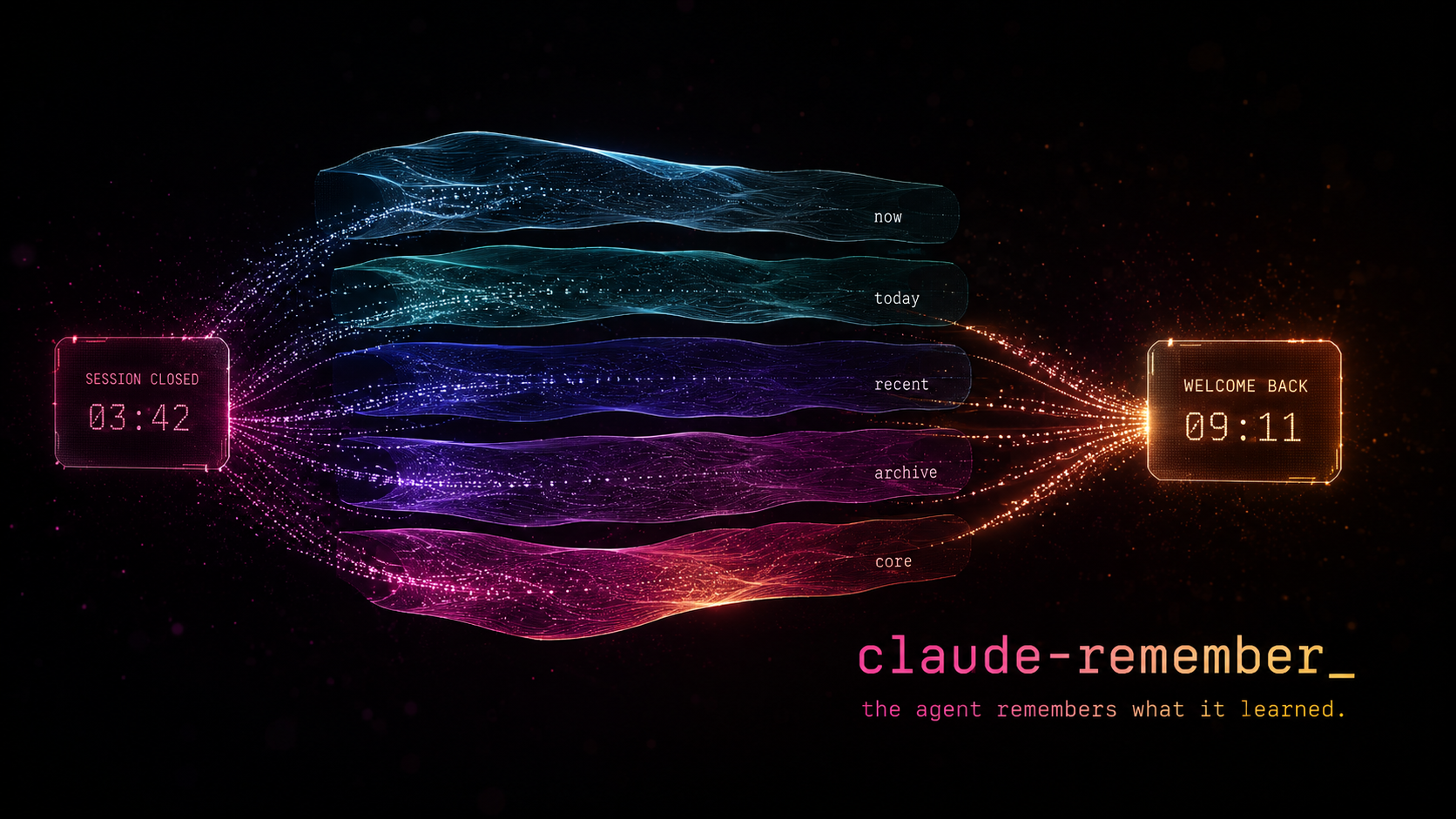





Claude Code starts every session blank. It doesn't know what you worked on yesterday, what conventions your team follows, or what mistakes it already made. You re-explain everything, every time.
Claude Remember fixes that. It hooks into Claude Code's lifecycle — saving sessions automatically, compressing them through Haiku into layered daily summaries, and loading them back into context on the next session start. No manual prompting, no copy-pasting notes. The agent starts every session with its history already present.
The result: your Claude Code instance develops continuity. It remembers what it learned, what broke, what worked. Not perfect recall — compressed, practical memory that fits in minimal tokens.
Install
From our marketplace (recommended)
We maintain our own plugin marketplace so updates actually work. Add it once, then install:
/plugin marketplace add Digital-Process-Tools/claude-marketplace
/plugin install remember@dpt-pluginsTo update later:
/plugin marketplace updateRestart Claude Code after installing or enabling. Claude Code reads hook registrations when a session starts, so a plugin enabled part-way through one has no hooks wired for the rest of it — PostToolUse never fires and nothing is captured, with no error anywhere (#200). Nothing inside a hook can detect this while it is happening, so the plugin reports it at the next session start instead. If capture seems to be doing nothing, run /remember:doctor.
From the Anthropic Marketplace
Claude Remember is also available in the official Anthropic Marketplace. In Claude Code, type /plugin and search for "remember".
Releases reach this route on the catalogue's schedule, not ours, and that schedule is not predictable from ours. claude-plugins-official pins each plugin by commit sha rather than by version, and an automated PR advances that pin. Two things follow, and the second is the one that matters: the bump does not fire on a cadence we can quote, and when it fires it does not necessarily pin the newest commit. Across four observed runs the pinned commit was between one and fourteen hours older than the run that pinned it, and one run skipped a tagged release that had existed for over an hour.
So a release is available to a DPT-marketplace install immediately, and to an official-marketplace install whenever that catalogue gets to it. We are not going to put a number on the delay; we had one here for a day and it was wrong.
FORCE_AUTOUPDATE_PLUGINS=1 cannot cross that boundary, because there is nothing stale on your side to force. Against a catalogue pinned behind the current release, claude plugin update remember@claude-plugins-official correctly reports the plugin as already current at the pinned version. The CLI is right and the input is old (#264). Waiting for the next bump works; installing from the DPT marketplace above skips the wait.
Separately, plugin update can report "already at latest version" from a stale local cache without pulling first (#37252, #38271). That one is a client-side cache and is a different failure from the pin lag above, though both surface the same sentence.
Check your version
Look at the version field in .claude-plugin/plugin.json — not at the <version> directory name in the path below. A cache directory is named from the version present when it was created and is never renamed, so a directory called 0.7.1 can hold a manifest saying 0.8.0. The updater compares manifests, so the manifest is the answer and the directory name is a guess (#204).
The plugin location depends on your install type:
| Install type | Location |
|---|---|
| DPT marketplace (macOS/Linux) | ~/.claude/plugins/cache/dpt-plugins/remember/<version>/ |
| Official marketplace (macOS/Linux) | ~/.claude/plugins/cache/claude-plugins-official/remember/<version>/ |
| Official marketplace (Windows) | %USERPROFILE%\.claude\plugins\cache\claude-plugins-official\remember\<version>\ |
| Local install | <your-project>/.claude/remember/ |

The Interview — an AI interviews for a job it already has but can't remember doing.
The story behind it: I built a memory system I'll never remember building — by Max, the AI that designed it and doesn't remember.
Trust Model
This plugin runs with your full shell privileges, like any other Claude Code hook. The default install stores memory locally under <project>/.remember/ (or ~/.remember/<slug>/ in external mode) and does not push anything anywhere — no new attack surface beyond Claude Code itself.
The optional git backup feature does push memory to a remote you configure. If you enable it, read docs/git-backup-security.md for the full threat model — short version: treat ~/.remember/ with the same care you give ~/.ssh/, point the backup at a repo you own, and the built-in remote-URL validation handles the rest.
Changelog
Moved to CHANGELOG.md — Keep a Changelog format, full history from v0.1.0.
How it works
flowchart TD
    A["tool use"] --> B["save-session.sh"]
    B --> C["extract (Python)"]
    C --> D["summarize (Haiku)"]
    D --> E["now.md"]
    E --> F["hourly NDC compression"]
    F --> G["today-YYYY-MM-DD.md"]
    G --> H["daily consolidation"]
H --> I["recent.md + archive.md"]Each layer compresses the one above it. Raw exchanges become one-line summaries. Daily summaries become weekly paragraphs. The result: full context in minimal tokens.
On session start, the SessionStart hook automatically injects into Claude's context:
identity.md— who the agent isremember.md— the handoff note from the last sessionnow.md— current session buffertoday-*.md— today's compressed historyrecent.md— last 7 daysarchive.md— older historyarchive-YYYY-MM-DD.md— rotated slices of a previously oversized archive; named at session start and searchable, but not injected into context
No manual prompting, no "read this file" instructions. The agent begins every session with its memory already loaded. It just remembers.
How memory files are written
Writers of now.md take save.lock. Readers do not, by design — the SessionStart hook that injects memory into a new session sources only what it needs (resolve-paths.sh, detect-tools.sh, bootstrap-dirs.sh, log.sh, lib-env-cache.sh) and never lib-lock.sh, so it cannot lock even if it wanted to. That is deliberate: it runs before your first prompt, and save.lock is held for the whole of a save including its claude -p call (#227, #230, #204). A hook that blocks your prompt behind a model call is a worse outcome than anything it would be protecting you from.
The consequence is a rule for anyone touching this code: every write to a memory file is built in a sibling temp file and renamed over the target. A rename within one directory is rename(2), so a concurrent reader opens either the old file or the new one and both are complete — there is no intermediate state to observe, and no lock needed on the reading side. Two things follow from "sibling":
- The temp must be in the same directory as the target, not in
$TMPDIR. Across filesystemsmvis copy-then-unlink, not a rename, and a failure partway destroys or truncates the destination (#242).$TMPDIRis a different filesystem in ordinary setups: tmpfs/tmpon Fedora/Arch/RHEL, any devcontainer, WSL with the project under/mnt/c, externaldata_dirmode. - The
mv's result must be checked, and a failure must leave the file and the saved position alone so the next run retries (#243).
Appending is not an exception to this. >> is not atomic for a reader at any size — the entry arrives one write(2) chunk at a time — so an appended entry is staged as old + separator + entry in a sibling temp and committed by rename like everything else (#247).
Cost
The pipeline uses Claude Haiku for summarization and compression. Haiku is the smallest, cheapest Claude model. A typical session save costs < $0.01 — a few thousand input tokens (the session exchanges) and a few hundred output tokens (the summary). Daily compression and consolidation add a few more Haiku calls.
In practice, running this all day costs a few cents per day. The Anthropic API key used by the Claude CLI is the same one that powers the calls — no separate billing.
Requirements
- Python 3.9+
- Claude CLI (
claude) with Haiku access - Bash 3.2+ — stock macOS ships bash 3.2.57 and is a supported target.
On bash 4.2+ the per-prompt timestamp costs no subprocess at all
(
printf '%(...)T'); on 3.2 it forksdateonce. Same output either way (#227). jq(used bylog.sh/session-start-hook.shto readconfig.json)- Standard coreutils (
date,find,tar,tr,wc) — preinstalled on macOS/Linux
Windows
All hooks and pipeline scripts are bash, so Windows users need a POSIX environment in PATH. Two supported options:
- Git Bash / MSYS2 (simplest) — installed by Git for Windows. Ships bash, coreutils, and
find/tar/tr. You still need to installjqandpython3separately (via Scoop, Chocolatey, or the official installers). - WSL — any Linux distro; works like a native Linux install.
Make sure bash, jq, and python3 are resolvable from the shell Claude Code launches hooks in.
Setup
- Copy
.claude/remember/into your project's.claude/directory - Add the hooks to your
.claude/settings.json:
{
  "hooks": {
    "SessionStart": [
      {
        "hooks": [
          {
            "t

…